
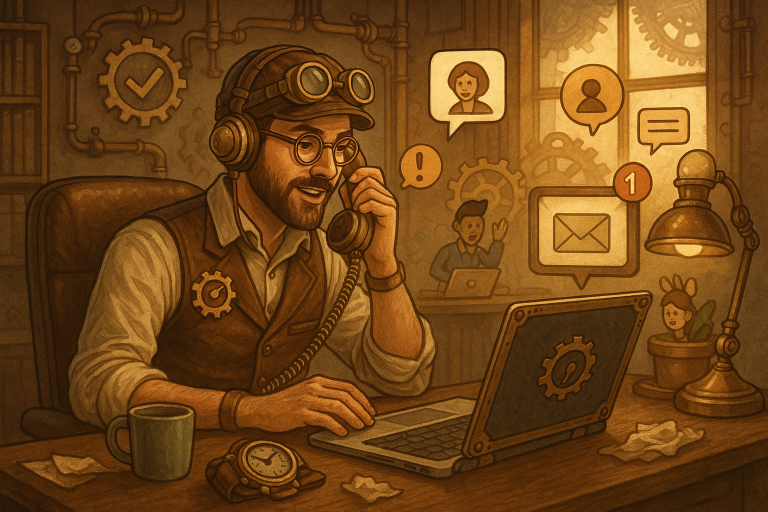
We live in a world that runs on Wi-Fi, pixels, and instant gratification—and while technology promises to make life easier, the truth is: managing a busy, connected household can sometimes feel like juggling chainsaws. Fortunately, there are tools and habits that can bring back the magic. Here at landlinecellular.com, we’re passionate about empowering you with smart digital solutions that don’t just work—they work wonders. In this case study, we dive into one tech-savvy family’s journey toward mastering their digital environment with ten productivity hacks you can steal today.
Meet the Patel Family: Digital Natives on a Mission
The Patels are a modern family of four based in Austin, Texas. A software engineer mom, freelance designer dad, teenage gamer son, and a middle-school daughter with a knack for coding—needless to say, their home hums with devices and digital chaos. But after struggling with missed calls, scattered data, and constant distractions, they turned to productivity hacks and specifically, the power of landline number forwarding to bring cohesion to their connected lifestyle.
1. Landline Number Forwarding: One Number to Rule Them All
The Patels’ biggest frustration? Missed calls on their home landline when no one was home. Their solution: enabling landline number forwarding through landlinecellular.com. Now, calls to their home number ring through to both parents’ smartphones, ensuring appointments, deliveries, and emergencies are handled no matter where they are.
Productivity Boost: No more scrambling to check the answering machine or dealing with duplicate voicemails.
2. Unified Digital Calendar: One Schedule to Sync Them All
With school, work meetings, creative gigs, and more in motion, syncing everything into a shared Google Calendar was a game changer. Each family member has color-coded events that auto-update across devices—and digital assistants like Siri and Google Assistant make adding appointments a breeze.
Pro Tip: They use Alexa routines to announce the day’s schedule each morning.
3. Smart Home Device Naming Conventions
The Patels renamed every smart device (e.g., “Kitchen Speaker” instead of “Echo D3498Z23”), making voice commands effortless. It sounds simple, but suddenly everyone could control devices without tech-whispering into the void.
Productivity Boost: Reduced tech confusion = faster task execution.
4. Automated Backups for Peace of Mind
Every Sunday, a scheduled task backs up their desktops, tablets, and phones to cloud storage via IFTTT (If This Then That). No more lost essays, corrupted project files, or scrambling to save family photos.
Why It Matters: You’re only one spilled coffee away from disaster.
5. Bandwidth Prioritization for Remote Work
With two remote working parents and Zoom-hungry kids, bandwidth congestion was a nightmare. Their solution? Wi-Fi prioritization. Their router’s QoS (quality of service) settings ensure that work calls and school sessions never drop during internet-heavy hours.
Bonus Tip: Scheduled “digital detox” hours in the evening improved family bonding and reduced screen fatigue.
6. Password Management with Biometrics
The Patel household ditched sticky notes and switched to LastPass, enabling fingerprint or Face ID login to all apps and websites. They also implemented two-factor authentication everywhere possible to keep digital threats at bay.
Pro Tip: Share passwords securely with family members via vaults, not texts.
7. Smart Notifications = Less Distraction
They used Focus Mode on Android and Downtime on iOS to silence non-urgent notifications during high-priority tasks. Email filters were also added so only VIP contacts (clients, teachers, elderly relatives) trigger audible alerts.
Smarter Inbox = Smarter Attention
8. Centralized Task Management with Trello
Instead of a fridge full of sticky notes, the Patels use one shared Trello board for everything—chore charts, school assignments, grocery lists, and weekend plans. It syncs both visually and via mobile notifications, so nothing falls through the cracks.
Bonus: They use tags like “Urgent,” “Family,” or “Solo” to prioritize.
9. Scheduled Tech Support Hour (Seriously)
Every Wednesday evening, they gather for 30 minutes to fix updates, uninstall bloatware, reboot routers, and teach each other new tricks. It’s like a digital housekeeping ritual—and a bonding moment, too.
Think of it as Tidy Tuesday, but for tech.
10. Devices with Purpose: Room-Specific Tech Zones
Instead of letting devices roam household-wide, they designated tech zones. The iPad stays in the kitchen for recipes and video calls. Laptops stay in the work-nook. Game consoles are corralled into the den. No more “Where’s the charger?” chaos.
Result: Productivity by design, not by accident.
Conclusion: A House That Runs Like a Soft-Launch Startup
The Patel family didn’t overhaul their lives overnight. But by consistently adding smart, digital-first habits—and leaning into tools like landline number forwarding from landlinecellular.com—they transformed their house into a productivity powerhouse. From missed calls to missed deadlines, they now run their household like a well-oiled startup—with time to spare for taco night and family Mario Kart tournaments.
Ready to streamline your digital life? Watch the full video of the Patel Family’s Productivity Blueprint and see how you can apply these genius hacks in your own home. Say goodbye to disorganized chaos and hello to digital harmony.